This change means you'll be able to view your payslip quickly, securely, and at any time, without waiting for paper copies.
What's changing?
Paper payslips will be replaced with encrypted electronic payslips sent directly to an employee's personal email address from April 2026.
What this means
- instant access: view payslips online, anytime and anywhere
- secure and confidential: information remains fully protected
If you currently receive a paper payslip, you'll need to submit a personal email address so you can receive it electronically.
If you work with someone who still receives paper payslips, please make sure they're aware.
How to submit a personal email address
We are using a secure platform called My Derbyshire to collect and verify personal email addresses.
If you already have a My Derbyshire account, log in. If you don't, you'll need to register for one.
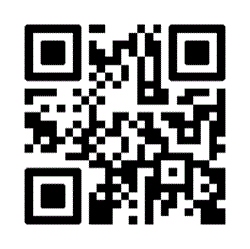
Scan the QR code on this page or visit My Derbyshire. Follow the steps to register. You'll receive an email to verify your account – make sure you verify this by clicking the link in the email.
- complete your user profile with:
- basic details – first and last name
- address details – street and postcode
- all other fields are optional
- complete the form with your National Insurance (NI) number and employee number - your employee number can be found at the top of your payslip, beneath your name and address
- if the form doesn't appear immediately, click the link again – My Derbyshire will keep you signed in and take you straight to the form
This ensures your email address is correct and securely linked to your NI number for safe payslip delivery.
How to find an NI number
Check your P60 or find your National Insurance number online.
Tips for a smooth experience
- use an email address that is easily accessed
- please only submit an email address once by selecting one personal email address
- check email setting to make sure your email provider supports encrypted emails
- download your email provider's app (for example, Gmail or Outlook) onto your phone
- if using a one-time passcode, allow time for it to arrive
- open attachments using your default browser
- if it doesn't work first time, try again or use a different browser/app
Key dates
- submit personal emails by: 31 March 2026
- first emailed payslip arrives: April 2026